Graduation Blueprint
agentic-advisor-flax.vercel.app ↗Source ↗Demo video ↗Devpost ↗
Overview
Graduation Blueprint is a working prototype of an AI academic planning assistant for TCU Neeley business students. It gives every student a checked path to graduation in seconds, and shows them what each choice costs before they make it. We built it for the 2026 AI Hackathon hosted by Neeley AI Forward and took first place in the advanced track.
The case asked for something that was not another chatbot, and the judges scored academic accuracy, feasibility, evidence, and responsible AI ahead of the interface. Every design decision below follows from that.
The problem is one every current student has run into. A junior who wants to know if they are graduating on time emails an advisor on a Sunday night, gets a reply Monday, and sits down for five minutes on Wednesday, which is fifty-eight hours of stress for an answer that should take thirty seconds. An incoming freshman without a major is staring at a catalog of 3,887 courses. One wrong class at the wrong time can cost a full extra semester, which at TCU is $42,650 in tuition and housing.
My part
I gathered the requirements and planned the project, and I handled deployment for both the frontend and the backend. I did the UI and interface design. I helped audit the prerequisites, and I was responsible for making sure the planning engine ran as it should, which meant checking its plans against the validation rules and the raw data.
What it does
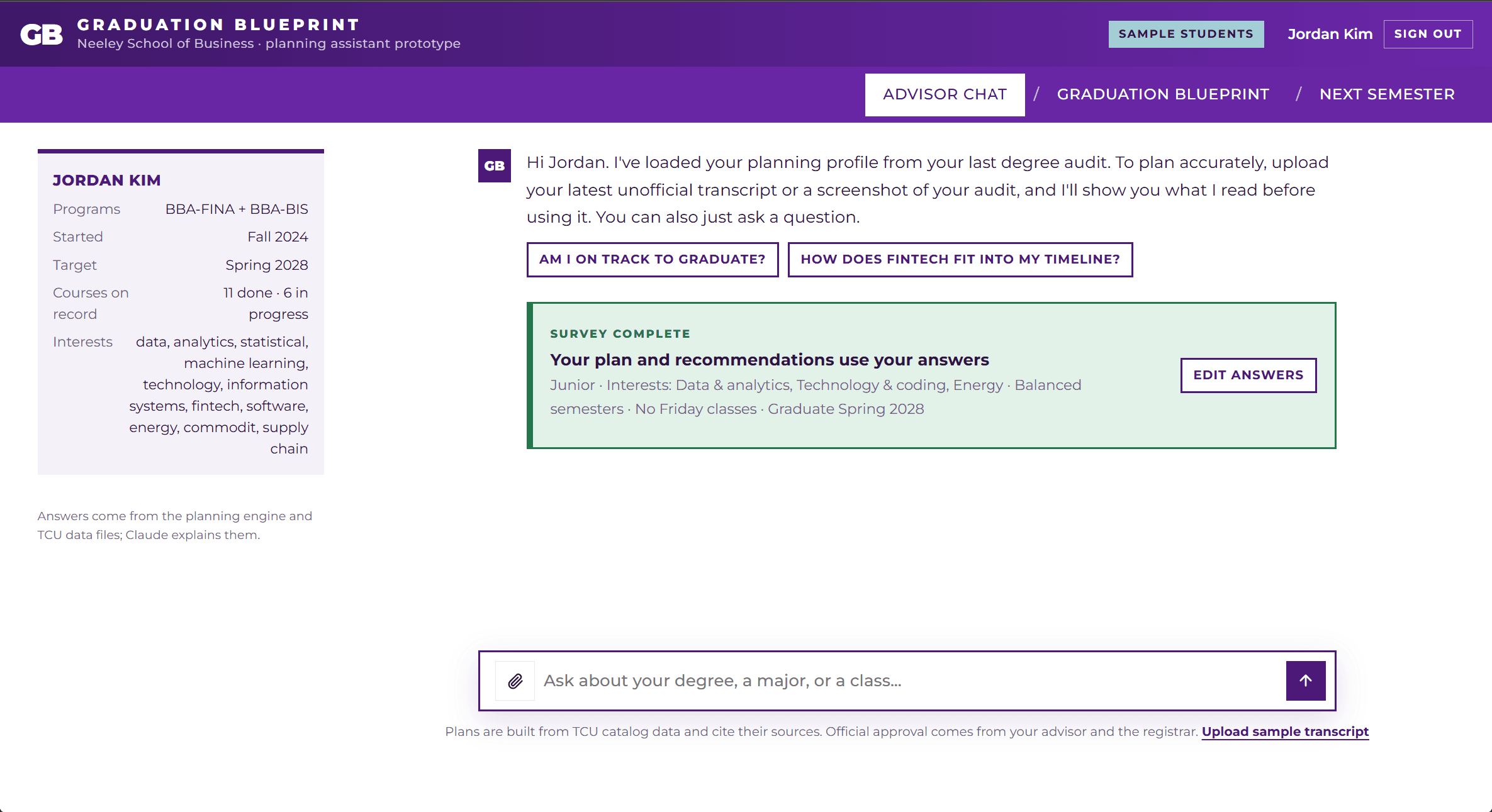
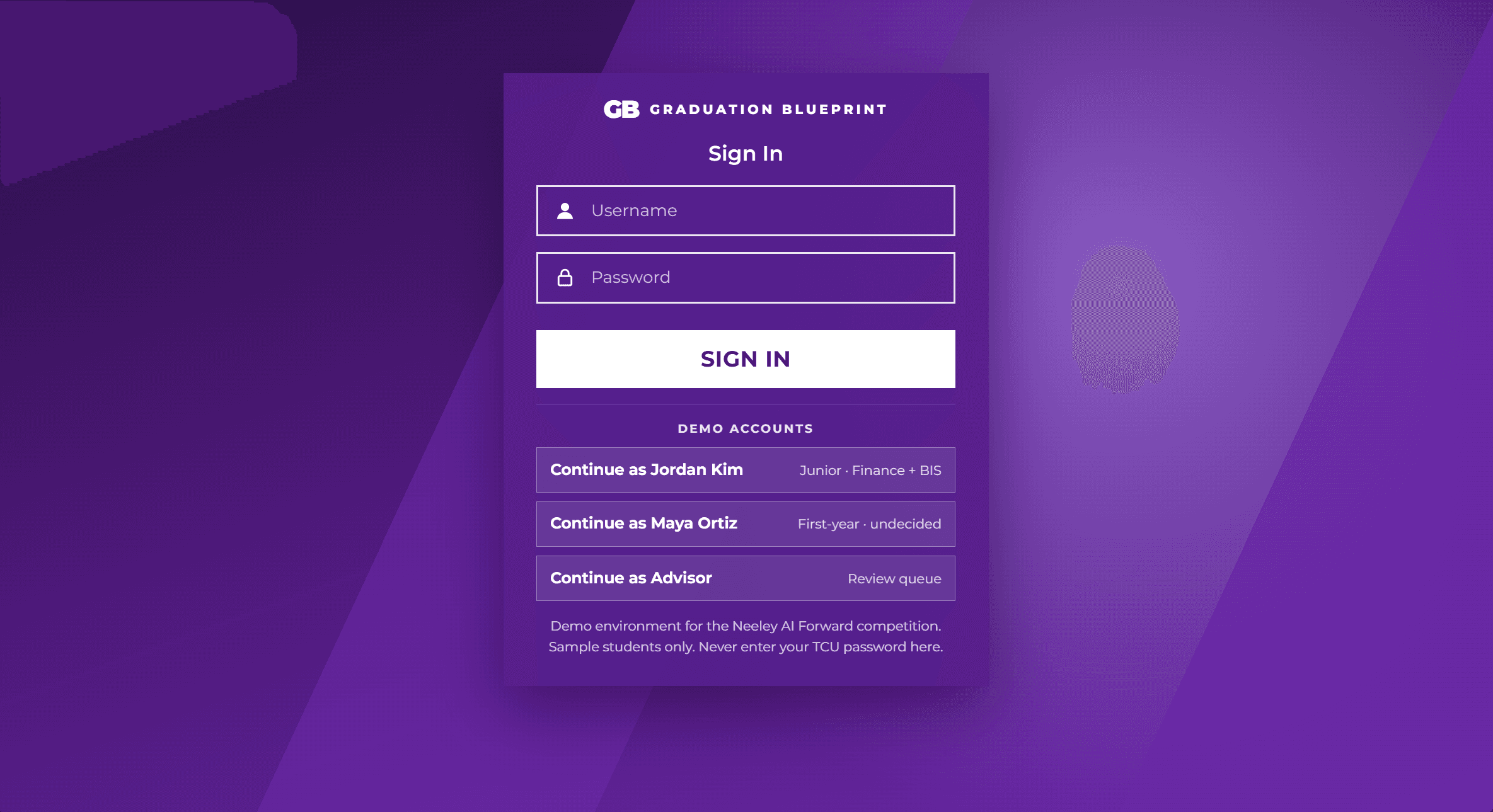
The demo runs on two sample students. Maya is an incoming freshman who takes a two-minute survey, sees the majors and careers that fit her, and clicks one to get a full four-year plan. She mentioned golf, so her free elective already suggests Beginning Golf.
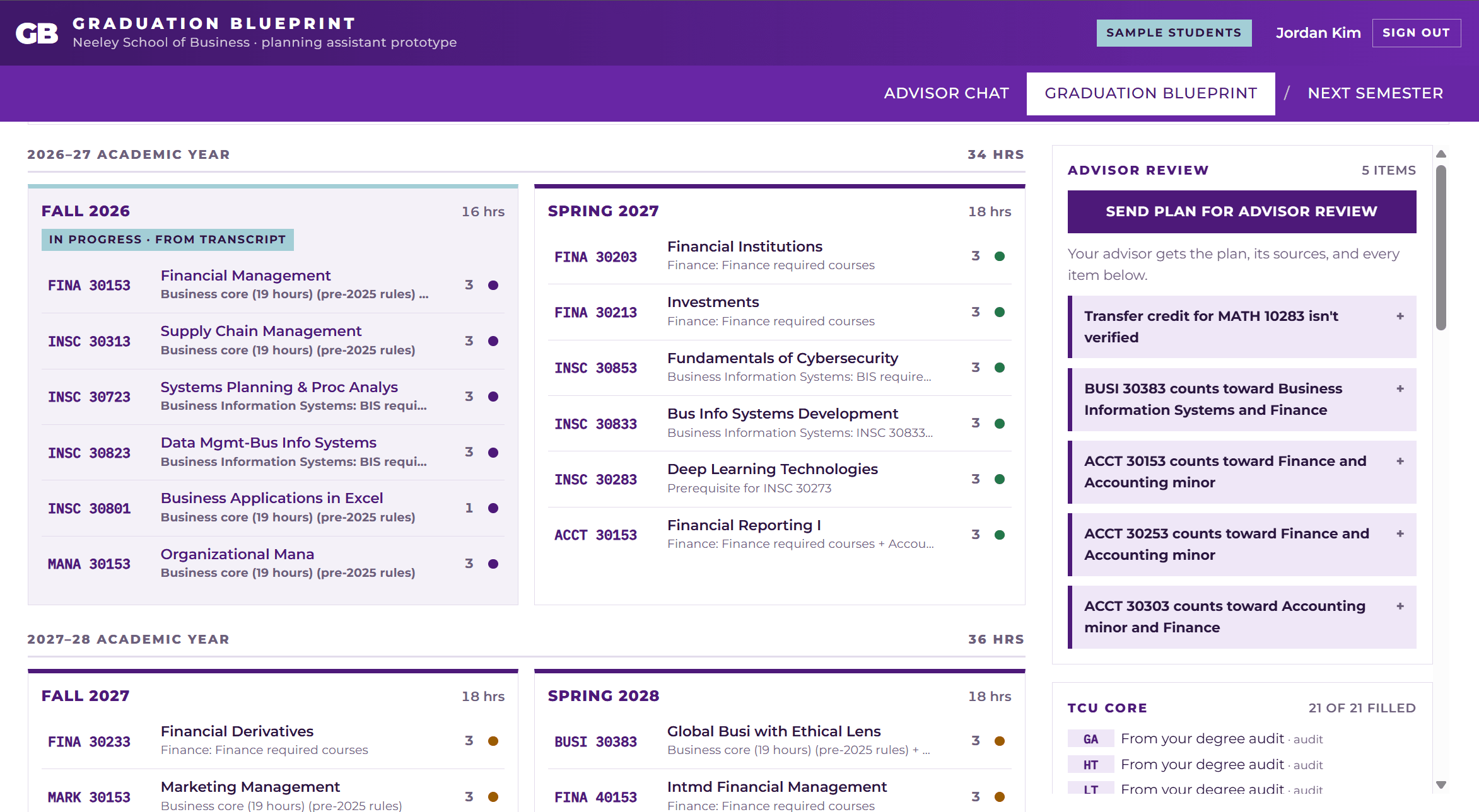
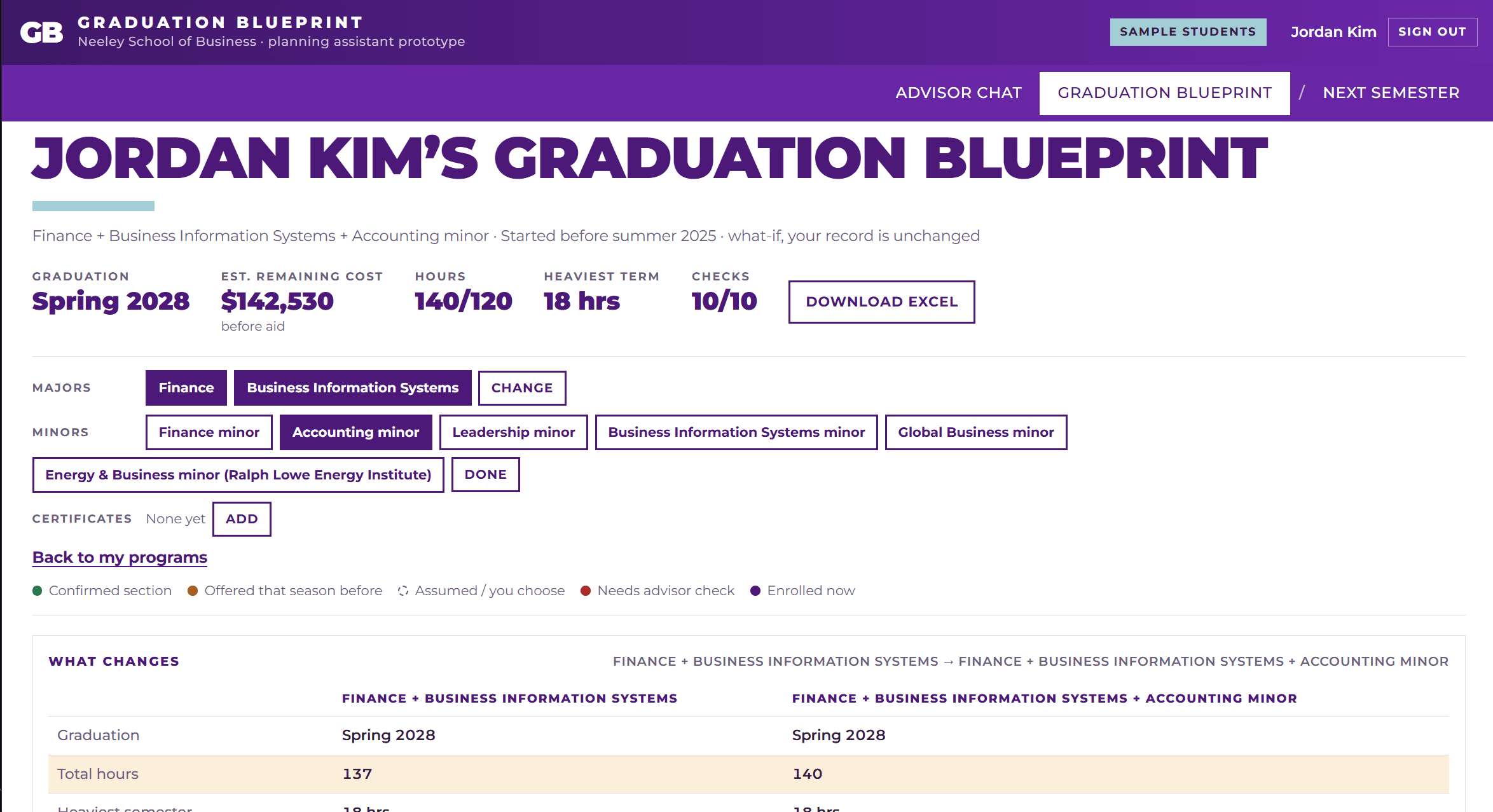
Jordan is a junior who asks whether he is on track and gets the answer right away: Spring 2028, with every requirement covered. He can then play what if. Adding an Accounting minor keeps him on time for $810 more.
The case we cared about most is what we called the Sharpest Bottleneck, where a lighter semester quietly costs a year. Students assume dropping to 15 hours is safe, but when a required course only runs once a year and sits at the end of a prerequisite chain, one light semester can push it past graduation, and nothing in the catalog warns you. In the demo, Jordan's lighter load pushes his graduation to Spring 2029 and costs $34,290. He finds that out before he registers, not after.
When something cannot be confirmed, like his community college math credit, the plan says so and sends it to his advisor. When he is ready, he submits the plan, and his advisor reviews and approves it instead of building it from scratch. Plans also download in Neeley's own Excel degree-plan worksheet format, and a next-semester view builds a section schedule from real TCU Class Search sections, labeled as a preview until an advisor approves the plan.
How it works
The work is split in two on purpose. The engine decides, and Claude explains.
The planning engine is ordinary TypeScript with no AI in it. It makes every academic decision: which rulebook applies, which courses fill which requirements, prerequisite order, which semester each course goes in, cost, and whether the plan passes validation. Because it is deterministic, it can be tested, and the same input always gives the same plan.
Claude only handles conversation: intake, the planning survey, reading transcripts, career guidance, and explaining plans. It cannot place a course or state a requirement from memory. It has to call one of 11 engine tools, and that grounding is enforced in code, not just requested in the prompt. If Claude answers without calling a tool, the answer is sent back once with an instruction to use the tools. Every course code in a reply has to appear in a tool result or earlier in the conversation, and every dean, department, instructor, or registrar approval it mentions has to come from a tool result. If either check fails, the reply goes back once to verify or remove the claim, and anything still unverified shows as a visible notice under the reply. A rule-based fallback answers from the same tools when there is no API key, so a live demo never depends on the network.
The engine checks every plan ten ways: every requirement placed, total hours, upper-division hours, no completed course repeated, prerequisite order, class standing and earliest-term rules, a load of 18 hours or less, every course offered in the term it is placed, program combination rules, and whether the graduation date holds. Every line in a plan records the requirement it fills, where it came from, and whether its availability is confirmed, historical, assumed, or left to the advisor.
Scheduling places the courses with the longest chain of later courses first, then the courses with the fewest remaining terms that offer them, so fall-only capstones go early. Major requirements go in before suggested Core courses.
Every cost comes from TCU's published 2026–27 rates: a flat $33,260 for 12 to 18 hours, $1,735 per hour over 18, plus $270 per credit hour for Neeley courses, with housing and food for each fall and spring term. A Core class that fits the schedule adds $0, a 3-hour business class adds $810, and the cost of graduating late shows up directly.
The app runs on Next.js, React, and TypeScript on Vercel, about 8,000 lines in all, with Supabase for the database and sign-in. Row-level security lets a student read only their own records while an advisor can read everyone they advise, and every API route looks up the student from the session, so a student cannot request someone else's record.
What went wrong
TCU's own sources do not always agree. We found 21 conflicts, including whether you need 120 or 124 hours to graduate. Instead of quietly picking one, the tool flags them for an advisor.
Prerequisites are written in English that reads like a logic puzzle, "A, or B, or C and D", so we checked 151 business courses by hand. The parser stores them as an AND of OR-groups, treats "or concurrent enrollment" as allowing the same term, counts a C- as below a C, and treats permission of the instructor as an alternative path rather than an extra requirement. Where our hand corrections disagree with the parser, the corrections win.
The AI also got things wrong. In testing, Claude told a student he needed dean approval for something that has no such rule. That is exactly why the engine makes the decisions, the AI only explains them, the approval check exists in code, and an advisor always signs off.
Real section data only covered the next two terms, so later terms are projected from the seasons a course has run in, and every placement carries an availability label. The plan never passes an assumption off as fact.
Verification
The test suite runs every demo plan through the ten checks with zero failures. A separate checker reads the raw data files without using any engine code and re-checks four plans, two for each student, and all four pass. One scenario that gives Jordan three majors is blocked with "More than 2 majors is not allowed", which is the combination rule doing its job.
What I learned
- None of us had built with a database before. Getting row-level security right meant logging in as each user and trying to break it.
- It was also our first AI product. Connecting Claude to an engine that decides, rather than putting a chat window on top of a model, was the hardest and most rewarding part of the build.
- Telling a model to stay grounded in the prompt was not enough. The checks had to live in code, because the model broke the rule in testing.
- Showing the cost of a decision before it is made matters more than any other feature, because that is the moment that actually changes outcomes.